Shader Pack // by Astyll
Clarity
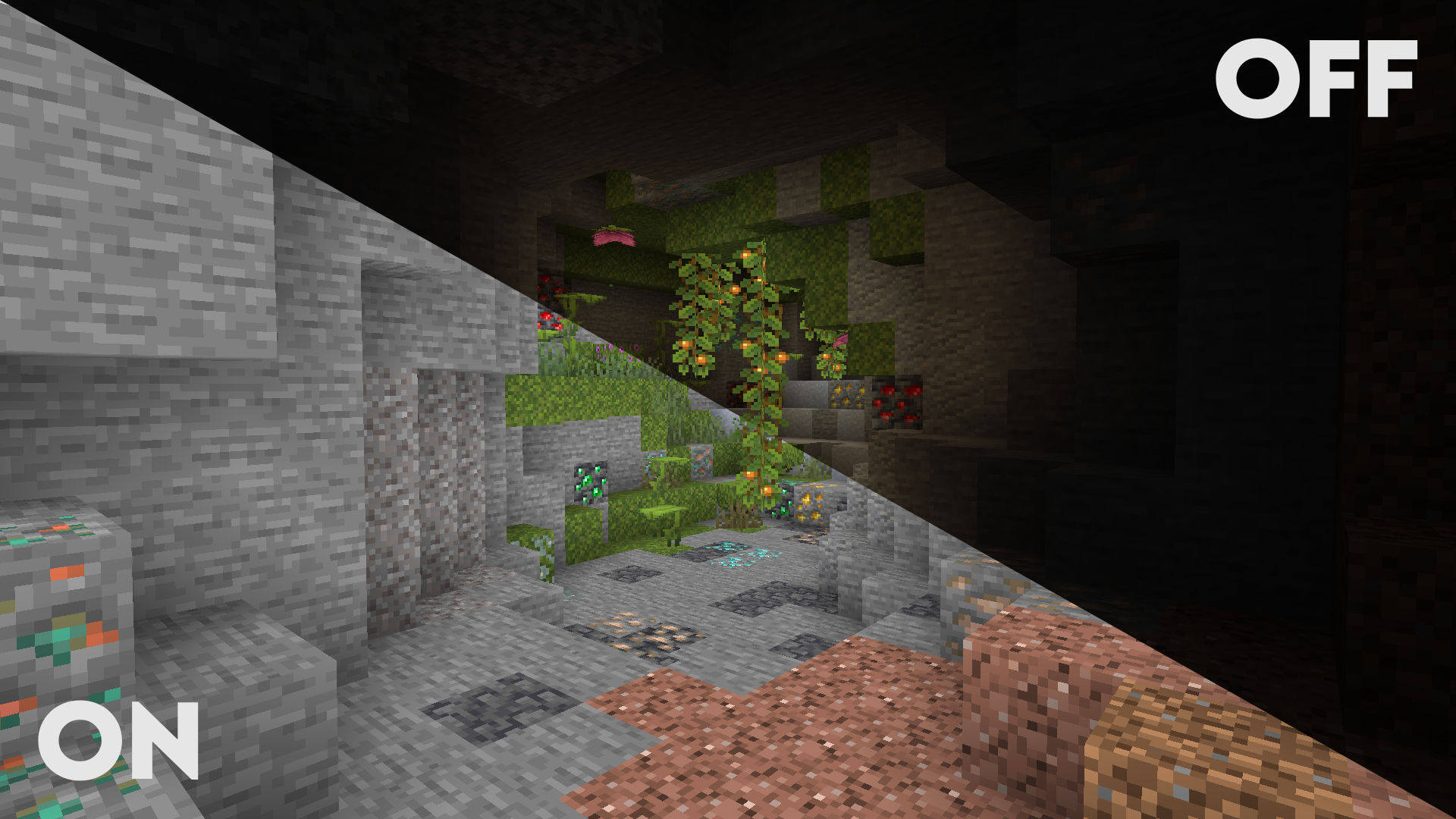
Maximize visibility with a high-performance fullbright shader that removes shadows, fog, and underwater murkiness
- Latest
- Minecraft 26.2
- Updated
- Jul 8, 2026
- Style
- Semi-Realistic
Overview
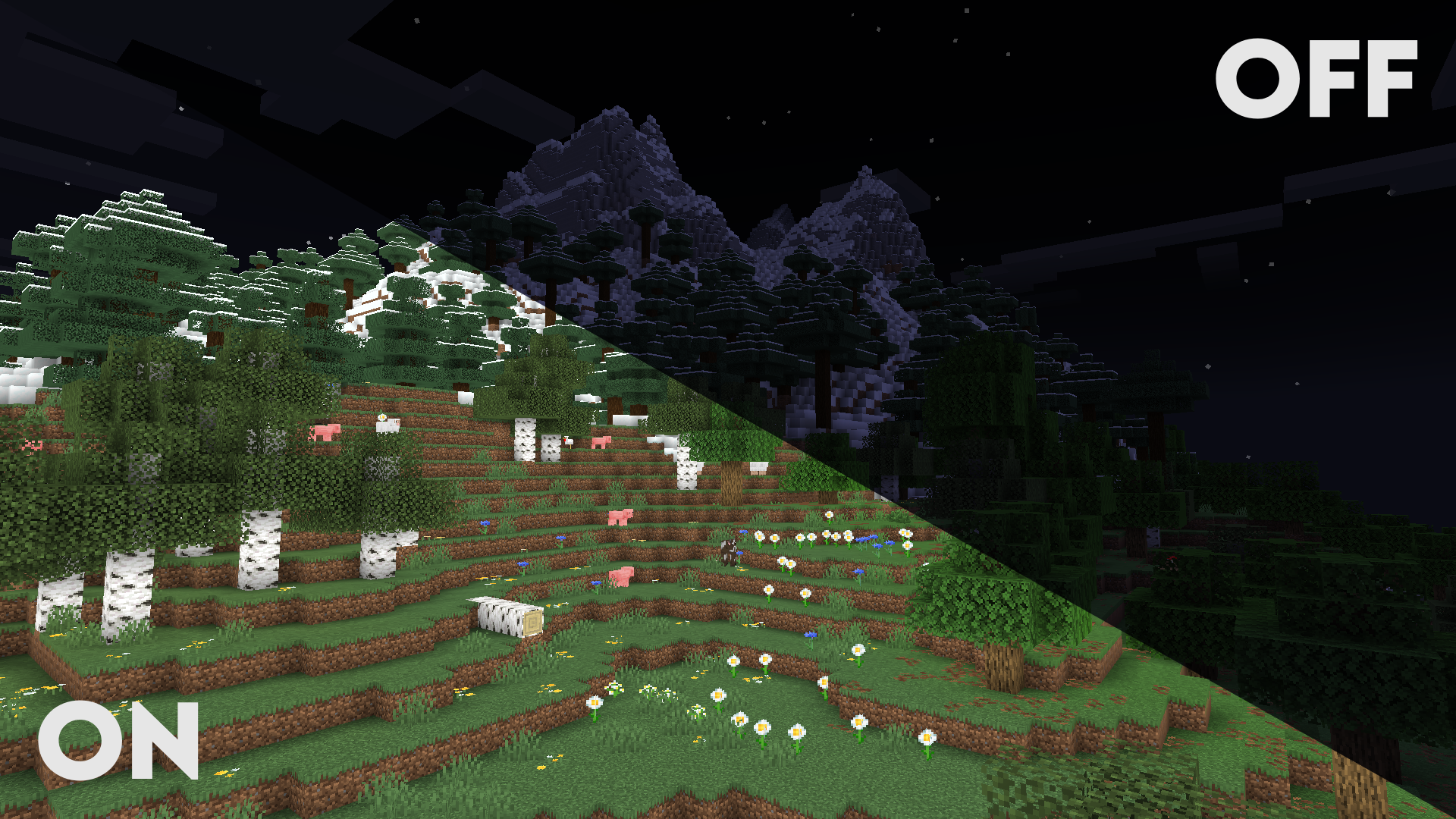
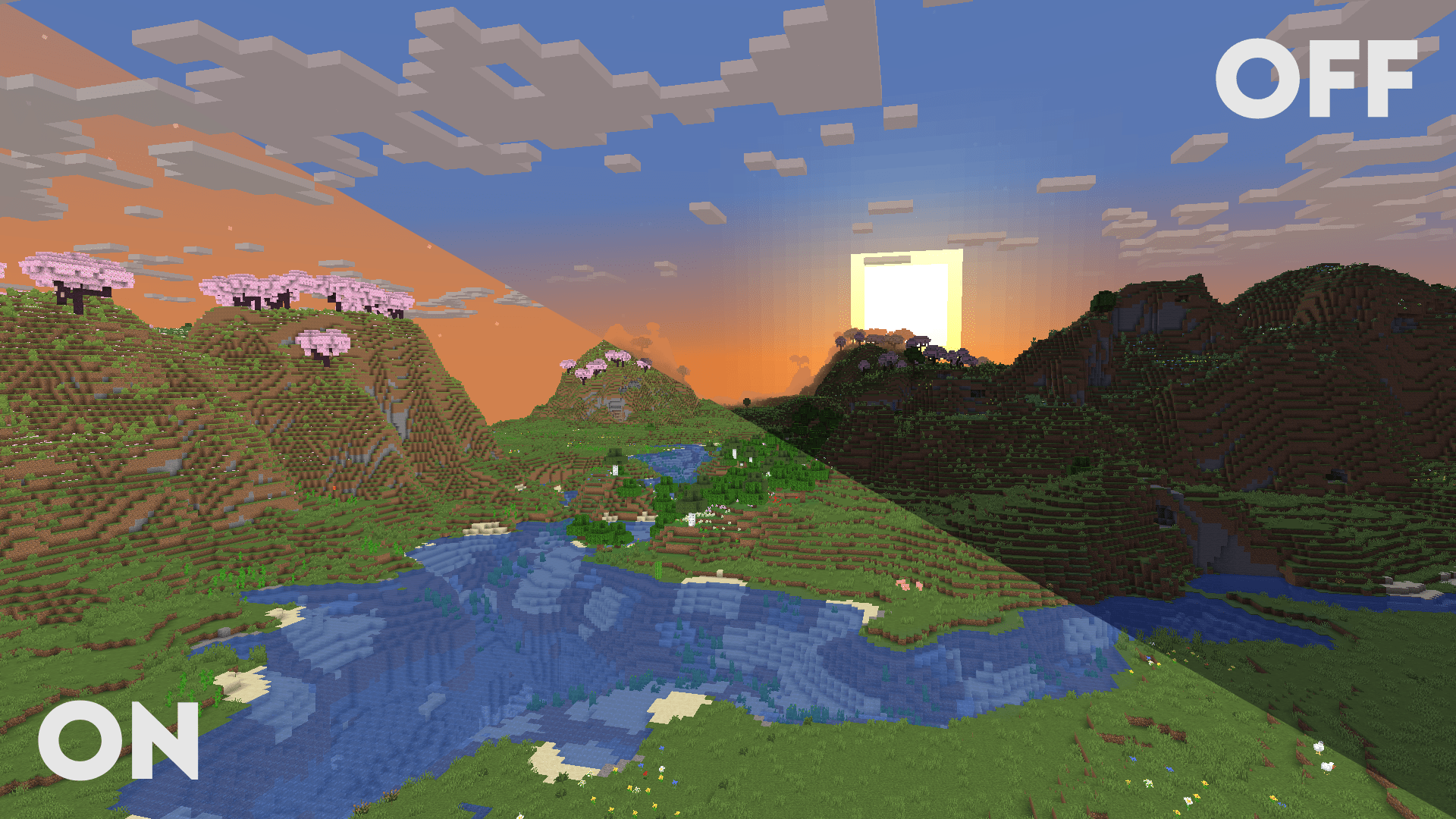
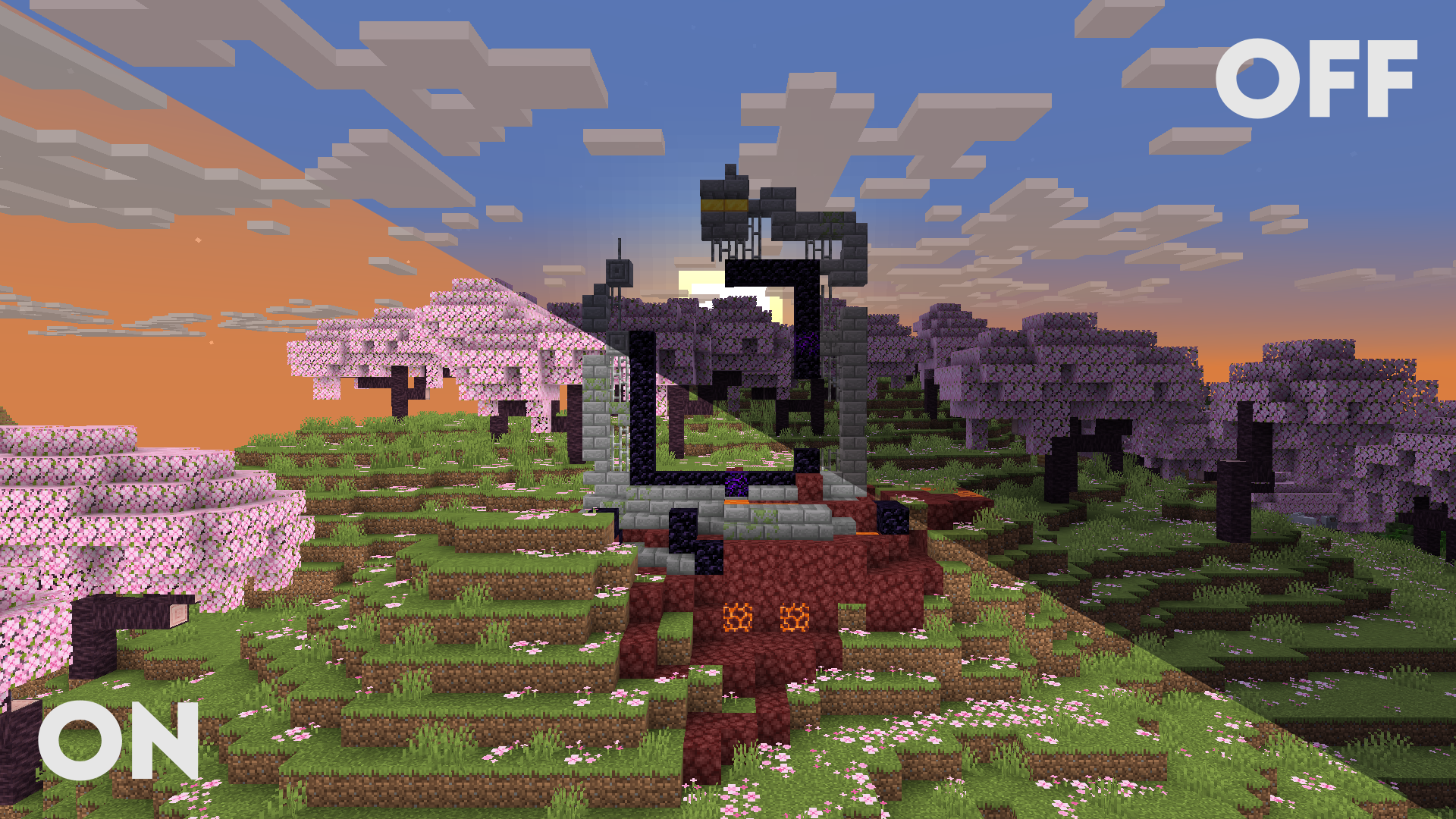
Clarity is a unique utility-focused shader pack developed by Astyll that serves as a modern evolution of the project formerly known as FullBright2. Rather than pursuing heavy cinematic effects that darken the environment for mood, this pack is engineered to maximize visibility by systematically removing the engine's natural shadows and fog. It functions essentially as a high-performance fullbright solution delivered through the shader pipeline, ensuring that every block and entity is rendered with consistent brightness regardless of the light level or time of day. This makes it an essential tool for players who find traditional Minecraft shaders too restrictive during technical gameplay or deep cave exploration.
Unobstructed Vision in Dark Environments
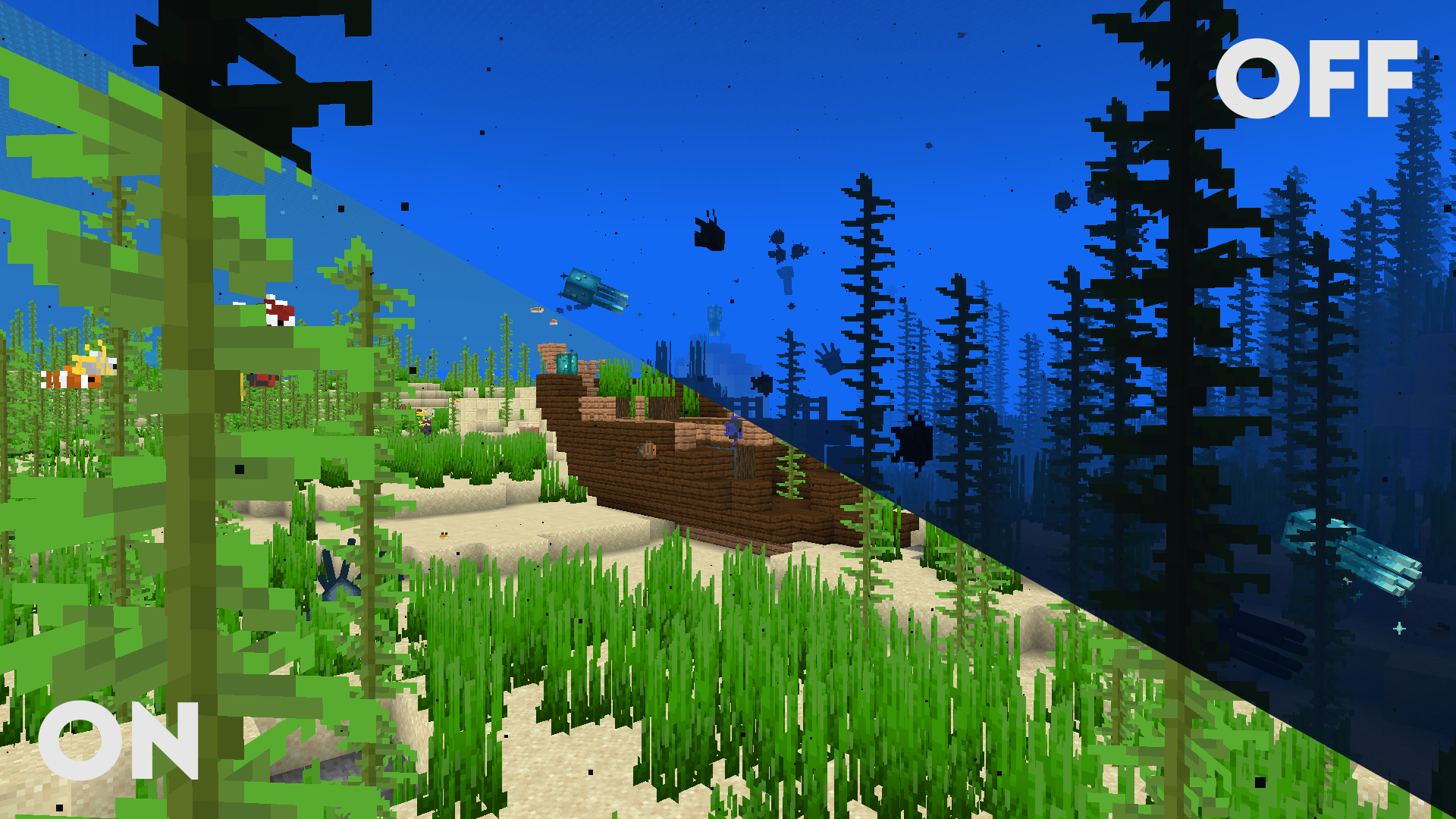
The core design philosophy behind Clarity centers on stripping away visual obstacles that usually hinder navigation. By disabling block, entity, and particle shadows, the shader creates a flat, high-visibility aesthetic that is incredibly practical for large-scale mining operations or traveling through the Nether. The removal of fog is perhaps the most impactful change, as it allows for an infinite-feeling view distance that doesn't fade into the typical grey or thick haze found in the vanilla game. This clarity extends to underwater and lava environments, where the shader significantly reduces opacity to allow players to see through liquid hazards as if they were standing in open air.
Customization and Technical Integration
Beyond its primary fullbright function, the pack includes several modern post-processing features that allow for a degree of visual tuning. Players can adjust vibrance and exposure to better suit their monitors, or toggle SMAA anti-aliasing to smooth out jagged edges without the blurring often associated with heavier presets. For those who still want a bit of flair, there are settings for motion blur and customizable cloud states, ranging from hidden to bright. Because it is categorized among more Semi-Realistic shaders for its clean look, it maintains a polished feel even while removing standard lighting logic. It also boasts impressive compatibility with the Distant Horizons and Voxy mods, making it an excellent choice for testers or explorers who want to see massive world generations without any atmospheric interference.
Performance and Utility Evaluation
From a technical standpoint, Clarity is exceptionally lightweight. Because it avoids the heavy calculations required for ray-traced shadows or volumetric lighting, it runs smoothly on a vast range of hardware, including low-end systems or integrated graphics. It is compatible with both Iris and OptiFine across a massive range of game versions, making it one of the most versatile utility packs available today. While it may not satisfy those looking for a moody survival experience, it is a top-tier choice for builders, YouTube creators needing clear footage, or anyone who values navigational efficiency over dramatic lighting.
Installation
Install Clarity as a semi-realistic shader pack for Minecraft 26.2 using Iris or Optifine.
- 01Install Iris or Optifine for Minecraft 26.2 and launch the game once.
- 02Download the ZIP that matches Minecraft 26.2 from the versions below.
- 03In Minecraft go to Options → Video Settings → Shader Packs → Open Shaders Folder.
- 04Drop the .zip inside without extracting, click Clarity in the list, then press Done.
Downloads
All versions of Clarity