Shader Pack // by TheCMK
Reverie Shaders
Soft sunlight, volumetric valley fog and layered skies for semi-realistic landscapes
Download vv0.9 (3.5 MB)Overview
Visual Style and Lighting
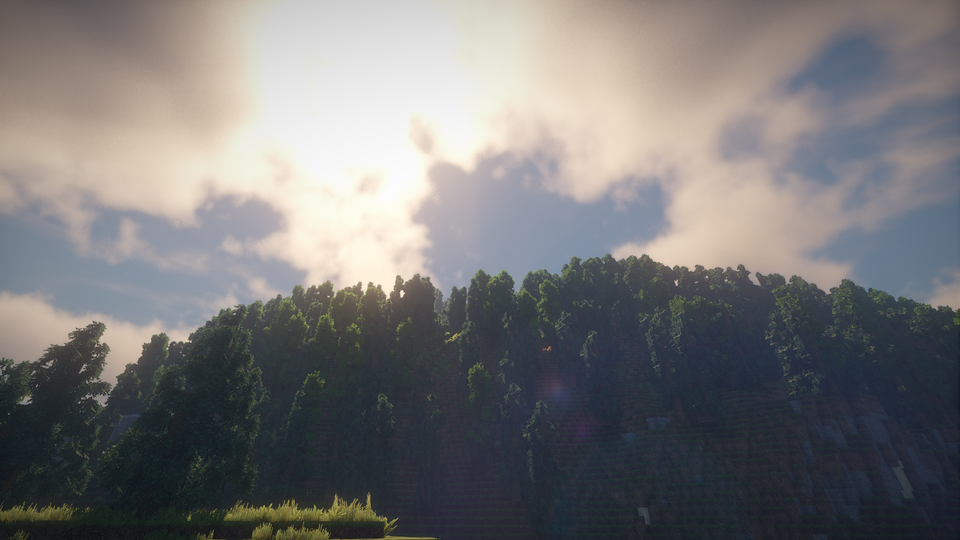
Reverie Shaders 26.2 uses softer sunlight and layered skies to push Minecraft toward a semi-realistic look. It adds volumetric valley fog and dynamic clouds. Water gets mild reflections and there is a subtle bloom. Lighting is driven by a physically based atmosphere and advanced indirect lighting, which softens shadows and smooths color transitions. The pack also includes depth of field, lens flare, and chromatic aberration for screenshots, and you can browse other options on the shader packs page.
Gameplay Feel
This shader makes exploration and screenshots the main draw: open biomes and mountain views get a lot more depth thanks to valley fog and layered skies, and the screenshot mode can freeze weather so you can line up a shot. Nights and dense forests feel darker and moodier, so players who spend time underground or in tight builds may find visibility reduced without extra torches. The dynamic weather system changes cloud cover, fog, and wind based on biome, season, and altitude, and those parameters are slightly randomized on load so areas do not always look identical. The pack favors look over competitive play, so PvP users should expect visual effects that can be distracting.
Performance and Compatibility
Reverie requires Iris (1.8 or newer) and is aimed at modern Minecraft releases, with support for the 1.20 and 1.21 series, and it works best on modern GPUs while offering a low-end "Toaster" profile for slower systems. Official notes list support on Nvidia and AMD (Windows) and Mesa, with Intel on Windows listed as unknown, and Mac support is broken and cannot be fixed. The shader supports mods like Distant Horizons and Voxy and more compatibility is planned, and issues are tracked on the project's GitHub for reporting. For similar choices see the realistic shaders category.
Installation
Install Reverie Shaders as a realistic shader pack for Minecraft 26.2 using Iris.
- 01Install Iris for Minecraft 26.2 and launch the game once.
- 02Download the ZIP that matches Minecraft 26.2 from the versions below.
- 03In Minecraft go to Options → Video Settings → Shader Packs → Open Shaders Folder.
- 04Drop the .zip inside without extracting, click Reverie Shaders in the list, then press Done.
Downloads
All versions of Reverie Shaders