Shader Pack // by HaringPro
Revelation Shaders
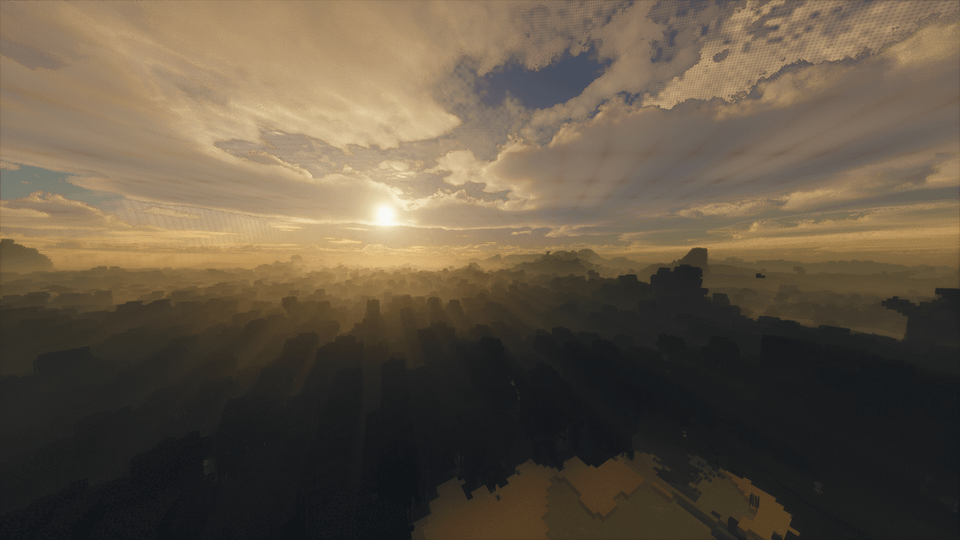
Photographic lighting with strong water reflections, soft shadows, and subtle fog
- Latest
- Minecraft 26.3
- Updated
- Sep 13, 2026
- Style
- Realistic
Overview
Visual Style and Lighting
Revelation Shaders 26.3 uses photographic lighting with warm sunlight and soft shadows, giving daylight a natural look while keeping contrast under control. Water is the main highlight here with strong, clear reflections that catch terrain and sky details, and there is modest bloom on bright surfaces so highlights feel smooth rather than harsh. Skies are muted and clouds are subtle, and early fog kicks in at short distances which adds depth to vistas but reduces visible range. Ambient occlusion is present and helps define block edges, and volumetric light and fog add a slight haze around light sources without going overboard. If you like browsing different shader packs, this one sits firmly in the realistic end of the spectrum.
Gameplay Feel
Visually the shader makes exploration and scenic builds stand out, especially near water or on plains where reflections and long shadows show off structure. Mornings and sunsets have a clear color shift so screenshots and recordings look more photographic with minimal tweaking. The darker nights and thicker fog can make cave trips and dense forests feel gloomier, which some players will like and others may find annoying when lighting is important for building or mobs. There is no major gameplay change to mechanics, but the reduced visibility and richer lighting can affect how you place torches and view distant landmarks.
Performance and Compatibility
Performance is preset dependent and can be demanding on higher settings, though lowering shadows, reflections, or volumetric detail noticeably reduces the load for mid-range GPUs. The pack supports both realistic shaders loaders like Iris and OptiFine on Java Edition, and it is available across a wide range of Minecraft versions from older 1.7.x releases up through recent 1.21.x and Fabric 26.x builds. Expect it to be heavier than lightweight shaders when you enable full reflections and volumetric effects, and tune the specific features mentioned above if you need better frame rates.
Installation
Install Revelation Shaders as a realistic shader pack for Minecraft 26.3 using Iris or Optifine.
- 01Install Iris or Optifine for Minecraft 26.3 and launch the game once.
- 02Download the ZIP that matches Minecraft 26.3 from the versions below.
- 03In Minecraft go to Options → Video Settings → Shader Packs → Open Shaders Folder.
- 04Drop the .zip inside without extracting, click Revelation Shaders in the list, then press Done.
Downloads
All versions of Revelation Shaders