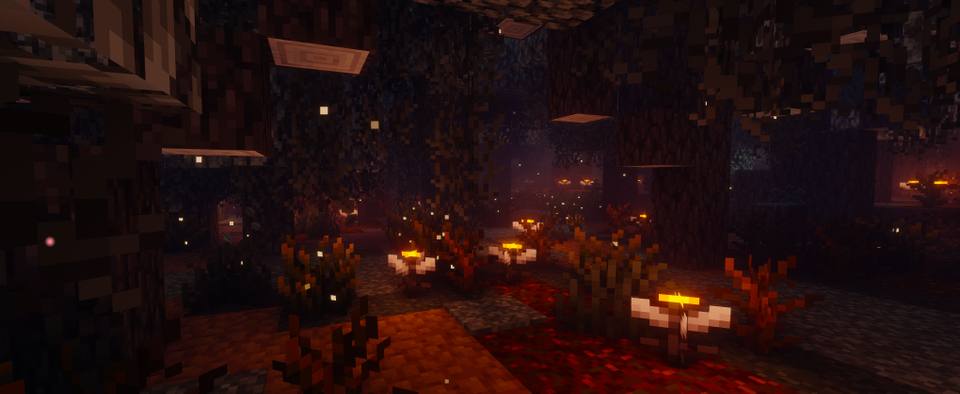
Shader Pack // by sixthsurge
Photon Shaders
A Gameplay-Centric Approach to Realistic Lighting
- Latest
- Minecraft 26.2
- Updated
- Jul 12, 2026
- Style
- Realistic
Overview
Photon Shaders 26.2 enters the scene as a meticulously crafted project by sixthsurge, aiming to bridge the gap between high-end visual fidelity and survival gameplay. This shader pack leans into a semi-realistic aesthetic, prioritizing clarity and atmosphere without overwhelming the screen with excessive bloom or unreadable contrast. By focusing on a natural color palette and a revamped lighting engine, it transforms the blocky world into a more cohesive environment while maintaining the core identity of Minecraft. It is a highly versatile addition to the library of Minecraft shaders currently available for the Java Edition.
Advanced Atmospheric Depth and Lighting
The technical strengths of this pack are most apparent in its atmospheric handling. The sky system is entirely overhauled, featuring multi-layered volumetric clouds that change dynamically. Unlike many static skyboxes, the weather system here is unpredictable and varied, ensuring that no two days in the game look exactly the same. The water rendering is equally impressive, utilizing screen-space reflections and transparency that reacts realistically to the surrounding environment and lighting conditions. For those who enjoy building with complex materials, full support for labPBR resource packs allows realistic shaders enthusiasts to see detailed surface textures, highlights, and depth on various blocks.
Technically, the pack introduces high-end features such as Ground Truth Ambient Occlusion (GTAO) for accurate shadows in corners and soft, variable penumbra shadows that mimic how light behaves in the real world. A standout feature for Iris users is the voxel-based colored lighting available on the Ultra profile, which allows light sources to cast distinct hues across the terrain. To keep the image clean, sixthsurge has integrated various anti-aliasing techniques like TAA and FXAA, alongside temporal upscaling options for those needing a performance boost on less powerful GPUs.
While compatible with both Iris and OptiFine, the developer recommends Iris to unlock the full potential of specific features like colored lighting. The pack is well-optimized for modern NVIDIA, AMD, and Intel hardware, though it currently lacks support for Apple GPUs. Because it avoids the over-saturated look of many cinematic packs, it is perfectly suited for long-term survival players who want a beautiful world that remains comfortable to navigate for hours. The extensive settings menu ensures that users can tweak everything from motion blur to fog density, making it a highly customizable tool for both photographers and casual explorers.
Installation
Install Photon Shaders as a realistic shader pack for Minecraft 26.2 using Iris or Optifine.
- 01Install Iris or Optifine for Minecraft 26.2 and launch the game once.
- 02Download the ZIP that matches Minecraft 26.2 from the versions below.
- 03In Minecraft go to Options → Video Settings → Shader Packs → Open Shaders Folder.
- 04Drop the .zip inside without extracting, click Photon Shaders in the list, then press Done.
Downloads
All versions of Photon Shaders