Shader Pack // by ElocinDev
Pastel Shaders
A dreamy and performant aesthetic shaderpack providing soft tones and multiple color presets for a chill gameplay experience
- Latest
- Minecraft 26.2
- Updated
- Jul 12, 2026
- Style
- Vanilla-like
Overview
Pastel Shaders offers a distinct visual shift away from the typical realism-focused goals seen in many popular projects. Created by ElocinDev, this pack is specifically designed to provide a soft, stylized aesthetic by drenching the world in light, creamy tones. It essentially serves as the cheerful counterpart to the darker Insanity Shaderpack, being built upon the solid foundation of BSL Shaders. While it retains the technical stability of BSL, the color grading and lighting curves are drastically altered to favor a bright, dreamy atmosphere that prioritizes vibe and clarity over harsh contrast.
Stylized Colors and Performance Optimization
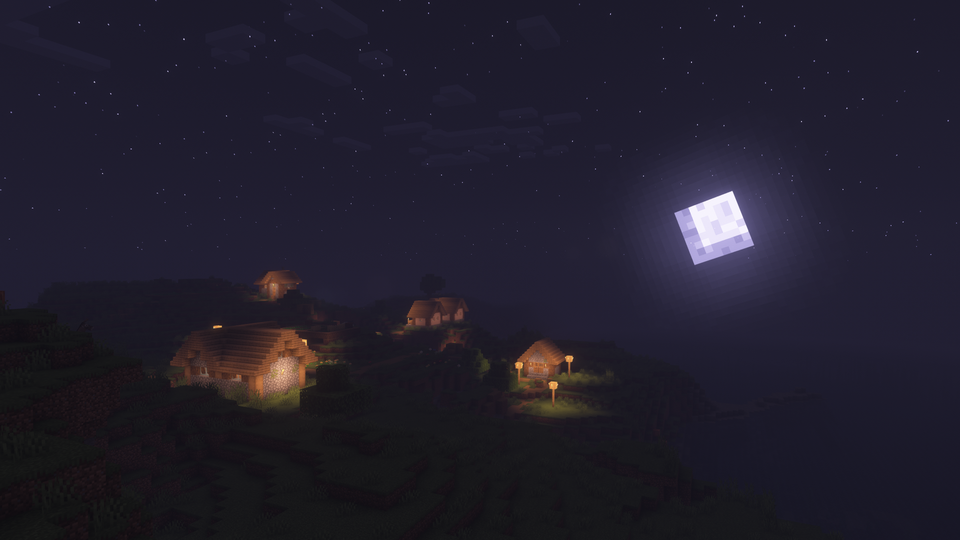
The core appeal of this pack lies in its multiple color presets, allowing players to instantly swap between pinkish, bluish, and yellowish palettes. These presets completely change the mood of the environment without requiring hours of manual configuration. When testing these vanilla-like shaders, you will notice that the skies are kept remarkably clean, featuring starry nights and soft sunset transitions that avoid the visual clutter of overly thick volumetric clouds. This simplicity helps maintain high visibility, which is a major benefit for builders and survival players who need to see their surroundings clearly.
Performance is another area where this project excels. Because it avoids some of the more taxing ray-tracing simulations found in high-end Minecraft shaders, it runs smoothly on a wide range of hardware. Whether you are using a modern dedicated GPU or a relatively recent integrated graphics chip, the frame rates remain stable. The settings menu is designed for accessibility, offering quick toggles for those who want a better experience without diving into the technical nuances of shadow map resolutions or anti-aliasing methods.
Compatibility remains strong across long-standing versions of the game, supporting everything from older releases like 1.7.10 up to the newest updates. It works seamlessly with both Iris and OptiFine loaders, making it a flexible choice for modern modpacks. While the stylized look might not fit players who want a gritty or photorealistic look, those looking for a lightweight, aesthetic, and reliable shader will find that it strikes a perfect balance between artistic flair and technical efficiency.
Installation
Install Pastel Shaders as a vanilla-like shader pack for Minecraft 26.2 using Iris or Optifine.
- 01Install Iris or Optifine for Minecraft 26.2 and launch the game once.
- 02Download the ZIP that matches Minecraft 26.2 from the versions below.
- 03In Minecraft go to Options → Video Settings → Shader Packs → Open Shaders Folder.
- 04Drop the .zip inside without extracting, click Pastel Shaders in the list, then press Done.
Downloads
All versions of Pastel Shaders