Shader Pack // by DureXXX
Derivative Shaders
Lightweight realistic shader with sharper near shadows, softened distant shadows and clearer water visibility
- Latest
- Minecraft 26.2
- Updated
- Jul 12, 2026
- Style
- Realistic
Overview
Visual Style and Lighting
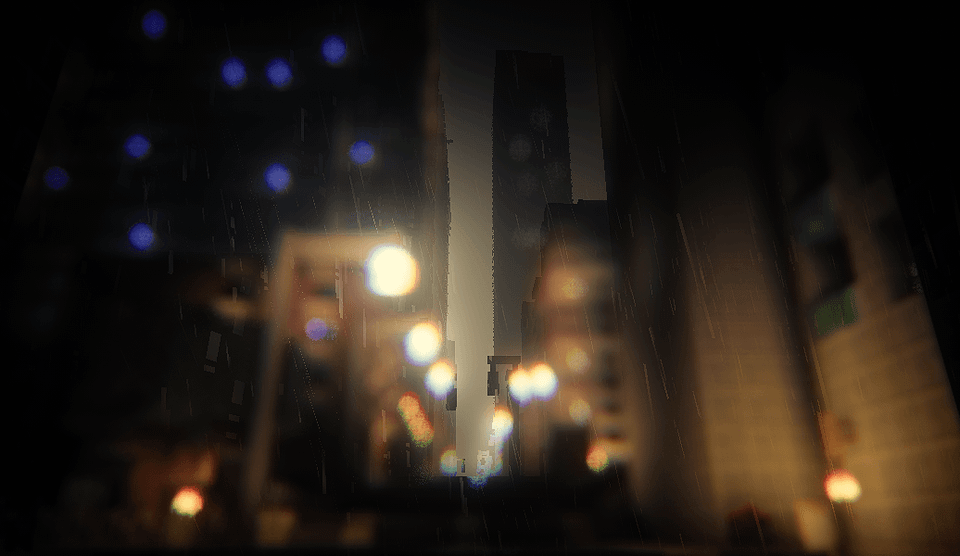
Derivative Shaders 26.2 by DureXXX is a lightweight realistic shader that sharpens near shadows, softens distant shadows, and improves water clarity. The shader nudges midtone color and smooths sky gradients so screenshots look cleaner without heavy color shifts. Shadows feel more defined up close, which brings out block detail on builds, while farther shadows blur a bit to create a simple sense of depth. Water gets clearer underwater visibility and crisper surface reflections that help both screenshots and exploration. There is no heavy particle overhaul or intense glow here, so highlights stay controlled and scenes do not get washed out. If you want to compare looks or try different options, check the collection of Minecraft shaders on the site.
Gameplay Feel
The shader keeps normal Minecraft play straightforward while improving visuals in obvious places. Close-up building and screenshots benefit from the sharpened local shadows and tidier color balance, and swimming or diving is easier thanks to clearer water. Large outdoor views read well because distant shadows are softened, so terrain looks less noisy at range. Expect some limits in dense forests and in caves where the shader can mute mid-distance detail and make interiors feel a bit darker than vanilla. That darker tendency can make spelunking and tightly packed foliage less comfortable for long sessions, so you may need to tweak brightness or carry extra light sources.
Performance and Compatibility
This pack is designed to be lightweight and it aims to run well on midrange GPUs, with only modest cost compared with heavier realistic packs. It lists support for Minecraft Java Edition 1.20.1, 1.21.1, and 1.21.11, and it does not specify particular mod loaders in its metadata. Performance will vary by scene, with denser forests and cave networks being the most likely spots to see a noticeable hit. If you prefer similar visual goals at different performance points, also look through other realistic shaders for packs that favor more effects or more savings.
Installation
Install Derivative Shaders as a realistic shader pack for Minecraft 26.2 using Iris or OptiFine.
- 01Install Iris or OptiFine for Minecraft 26.2 and launch the game once.
- 02Download the ZIP that matches Minecraft 26.2 from the versions below.
- 03In Minecraft go to Options → Video Settings → Shader Packs → Open Shaders Folder.
- 04Drop the .zip inside without extracting, click Derivative Shaders in the list, then press Done.
Downloads
All versions of Derivative Shaders